Back pain from a poorly designed desk chair isn’t just uncomfortable, it’s a productivity killer. Whether someone’s working from home full-time or putting in weekend hours at a desk, the right seating makes the difference between ending the day energized or ending it with a heating pad. An orthopedic office chair isn’t a luxury: it’s a practical investment in long-term health and comfort. This guide walks through what actually makes a chair orthopedic, which features matter most, and how to set one up correctly for a home workspace that supports the body instead of working against it.
Table of Contents
ToggleKey Takeaways
- An orthopedic office chair features adjustable lumbar support, multiple adjustment points, and high-density foam to maintain proper posture and reduce chronic back pain by 30-50%.
- Proper setup is essential: position seat height so feet rest flat with 90-degree knee angles, align lumbar support to the lower back’s natural curve, and adjust armrests to relax shoulders at desk height.
- An orthopedic office chair is a long-term health investment costing $300-$800 with a 10-year warranty, ultimately more economical than replacing cheap chairs every two years.
- Key features to prioritize include seat depth of 16-18 inches, width of 18-20 inches for average frames, and adjustable backrest tilt allowing 10-20 degree recline without forward seat tilt.
- Home offices benefit most from orthopedic seating since they lack corporate ergonomic oversight; an orthopedic chair counteracts spinal disc compression, poor circulation, and tech neck from prolonged sitting.
- Test chairs in person for at least 10-15 minutes before purchase, and consider refurbished or open-box options from liquidation sales to balance budget with quality and adjustability.
What Makes an Office Chair Orthopedic?
An orthopedic office chair is designed around the human spine’s natural curvature and the biomechanics of prolonged sitting. Unlike standard desk chairs that prioritize aesthetics or cost, orthopedic models focus on maintaining proper posture and reducing strain on the lower back, hips, and neck.
The term “orthopedic” isn’t regulated like “organic” or “UL-listed,” so manufacturers use it liberally. What separates a true orthopedic chair from marketing hype is adjustable lumbar support, a cushion or mechanism that fills the gap between the lower spine and the chair back, preventing slouching. The chair should also offer multiple adjustment points: seat height, armrest height and width, backrest tilt, and seat depth.
Materials matter, too. High-density foam (at least 2.0 lbs per cubic foot) maintains support over years of use, while cheaper foam compresses within months. Mesh backrests promote airflow and conform to the spine, though some users find them less comfortable for all-day sitting than well-padded alternatives.
Finally, an orthopedic chair accommodates a range of body types. Seat width should be at least 18 inches for average adults, with weight capacity ratings of 250 lbs or higher. Chairs designed for larger frames often go up to 24 inches wide and support 400+ lbs.
Why Your Home Office Needs an Orthopedic Chair
Home offices lack the ergonomic oversight that corporate environments sometimes provide, no facilities manager ordering bulk Herman Millers or scheduling workstation assessments. That makes choosing the right chair even more critical.
Prolonged sitting in a non-supportive chair compresses spinal discs, reduces circulation to the legs, and encourages forward head posture (“tech neck”). Over weeks and months, this leads to chronic lower back pain, hip stiffness, and tension headaches. An orthopedic chair counteracts these issues by distributing weight evenly, supporting the lumbar region, and allowing the user to shift positions throughout the day.
For anyone spending four or more hours daily at a desk, the health payoff is measurable. Studies on office ergonomics show that proper seating reduces reported back pain by 30-50% and can improve focus by minimizing discomfort distractions. For those balancing work-from-home duties with hobbies like building custom furniture, investing in a supportive chair prevents the kind of cumulative strain that turns a weekend workshop session into a painful chore.
There’s also a practical angle: replacing a cheap chair every two years costs more in the long run than buying a quality orthopedic model upfront. Expect to pay $300-$800 for a well-built chair with a 10-year warranty, less if buying during end-of-year sales or through office furniture liquidators.
Key Features to Look for in an Orthopedic Office Chair
Lumbar Support and Adjustability
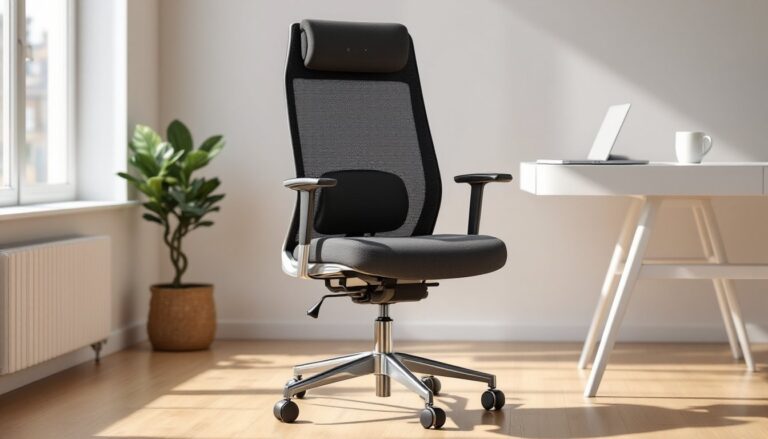
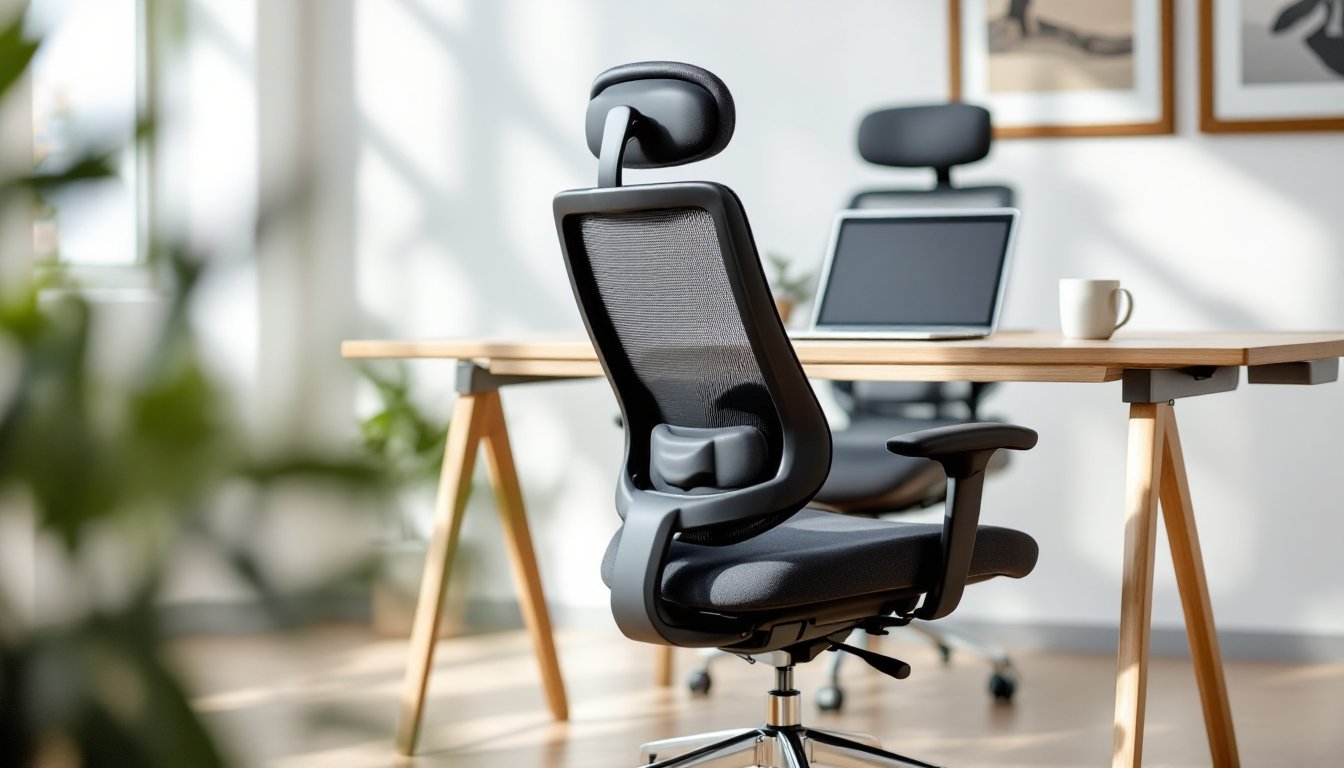
The single most important feature in an orthopedic chair is adjustable lumbar support. The lumbar spine (lower back) has a natural inward curve, and sitting flattens it unless the chair provides targeted support. Look for chairs with a height-adjustable lumbar pad that can move up or down by at least 2-3 inches to match the user’s anatomy.
Some high-end models offer depth adjustment, pushing the lumbar support forward or backward. This is useful for people with deeper or shallower curves. If the chair lacks this, test it in person, generic fixed lumbar supports work for some body types and feel awkward for others.
Backrest recline and tilt tension are equally critical. A good chair lets the user lean back 10-20 degrees without the seat tilting forward, keeping feet flat on the floor. Tilt tension (usually a knob under the seat) adjusts how much resistance the recline offers. Heavier users need firmer tension: lighter users need less.
Armrests should adjust in height, width, and angle. Fixed armrests force awkward shoulder positions, leading to neck and upper back strain. Adjustable arms let the user rest forearms parallel to the desk at a 90-degree elbow angle, reducing tension across the shoulders.
Seat Depth, Width, and Cushioning
Seat depth is the distance from the front edge to the backrest. Too shallow, and the user loses thigh support: too deep, and it forces them to choose between lumbar contact and pressure behind the knees. Aim for 16-18 inches of depth for average heights (5’4″-6’0″), with a 2-3 inch gap between the seat edge and the back of the knees.
Some chairs offer a sliding seat pan, which adjusts depth by 2-4 inches. This is a game-changer for households where multiple people use the same chair or for users at the extremes of the height spectrum.
Seat width should allow a couple of inches of clearance on each side. Standard chairs run 18-20 inches: big-and-tall models go up to 24 inches. Narrow seats create pressure points on the hips: overly wide seats don’t provide enough side support.
Cushioning quality separates budget chairs from long-term investments. High-density foam (the kind that slowly rebounds when pressed) lasts 5-10 years. Memory foam feels plush initially but can sag within 18-24 months under daily use. Mesh seats eliminate cushioning altogether, distributing weight across the material’s tension, some love it, others find it too firm.
For anyone working in compact spaces, small space office solutions often recommend chairs with a smaller footprint but full ergonomic features. Brands like Steelcase and HON offer scaled-down models without sacrificing adjustability.
How to Set Up Your Orthopedic Chair for Maximum Comfort
Even the best orthopedic chair won’t help if it’s set up wrong. Start by adjusting seat height so feet rest flat on the floor with knees bent at 90 degrees. If the desk is fixed-height and this puts the work surface too high or low, add a footrest or keyboard tray to compensate.
Next, position the lumbar support to contact the lower back’s natural curve, typically 6-9 inches above the seat. It should feel like gentle pressure, not a hard knot. If the chair has depth adjustment, slide it forward until the support aligns with the spine’s inward curve.
Set armrests so shoulders relax and elbows rest at desk height without reaching up or hunching down. Armrests too high force the shoulders toward the ears: too low and the user leans to one side or perches on the seat’s edge.
Adjust backrest tilt to allow slight recline, around 100-110 degrees, which reduces disc pressure compared to sitting bolt upright. Lock the tilt if the chair has that option, or leave it free if preferring to shift positions throughout the day. Set tilt tension so reclining takes mild effort but doesn’t feel like wrestling the chair.
Finally, check the seat depth. The front edge should clear the back of the knees by 2-3 inches. If it presses into the legs, circulation suffers: if there’s too much gap, thigh support diminishes.
Run through this checklist every few weeks. Adjustment knobs loosen over time, and posture habits shift. A quarterly tune-up keeps the setup dialed in.
Choosing the Right Orthopedic Chair for Your Space and Style
Orthopedic doesn’t mean sacrificing aesthetics. Modern designs blend ergonomic function with clean lines, available in materials from mesh and fabric to leather and faux leather. For a minimalist home office, mesh-back chairs in black or gray keep the look uncluttered. Traditional spaces pair well with padded leather models, though genuine leather requires conditioning every 6-12 months to prevent cracking.
Measure the workspace before buying. A chair’s base diameter (typically 26-28 inches) needs clearance to swivel and roll. Account for the backrest’s recline range, too, a high-back chair leaning back can hit a wall or bookshelf if the desk is tight against it.
For DIYers interested in customizing, free woodworking plans exist for building basic desk chairs, though replicating the adjustability of a commercial orthopedic model requires precision hardware (gas lift cylinders, tilt mechanisms) that’s often pricier than buying a complete chair.
Wheels matter more than expected. Standard casters work on carpet: hard floors need rollerblade-style wheels to prevent scratching and improve glide. Some users prefer locking casters to prevent the chair from rolling during focused work.
Finally, test before committing if possible. Big-box stores, office furniture outlets, and even some thrift shops carry quality used chairs. Sit for at least 10-15 minutes to gauge comfort beyond the initial impression. Check that all adjustments move smoothly and lock securely, stripped threads and stuck levers are common on worn-out models.
Budget-conscious buyers can find excellent deals on open-box or refurbished office chairs from liquidation sales when companies downsize. Just inspect the foam and mechanism condition: cosmetic wear is fine, but sagging cushions or broken tilt locks aren’t worth any discount.