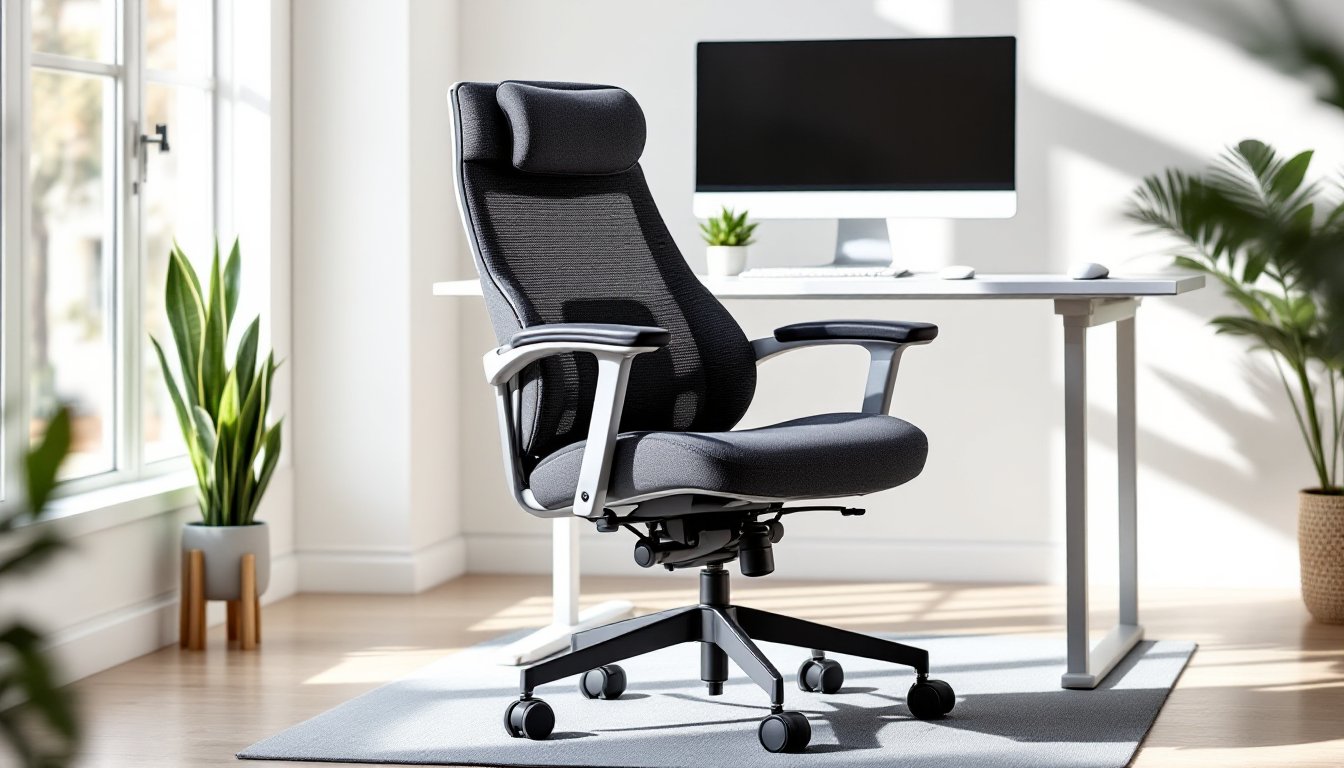
The home office has evolved from a makeshift corner to a dedicated workspace that deserves the same attention as any room renovation. And at the heart of that space? The chair. But not just any chair, an office recliner chair that merges ergonomic support with the luxury of a reclining feature. For anyone logging long hours at a desk, managing chronic back issues, or simply wanting to kick back during a video call, a recliner-style office chair is a game-changer. This guide walks through what to look for, how to choose the right model for a home office setup, and how to integrate it into the workspace for maximum comfort and productivity.
Table of Contents
ToggleKey Takeaways
- An office recliner chair reduces spinal compression and lower back strain by distributing pressure across the backrest at a 135-degree recline angle, making it beneficial for those dealing with sciatica, herniated discs, or chronic fatigue.
- Essential features to prioritize include adjustable lumbar support (2–3 inches of movement), four-directional adjustable armrests, infinite position locking, and a steel or reinforced aluminum frame rated for at least 250 lbs capacity.
- Measure your space carefully before purchasing—most office recliner chairs require 18–24 inches of clearance when fully extended, and you must verify doorway width, desk compatibility, and ceiling height for proper fit.
- Proper setup is critical: adjust seat height so feet rest flat with knees at 90 degrees, position lumbar support at belt line, set armrests to relax shoulders, and use a monitor arm if you frequently work in a reclined position.
- An office recliner chair versatile enough to accommodate typing (90–100 degrees), reading (110–120 degrees), and breaks (130–140 degrees) eliminates the need to relocate and supports both productivity and recovery throughout the workday.
- Well-built recliners with quality upholstery and steel frames offer superior long-term value and durability compared to budget task chairs, making them a practical investment for permanent home office setups.
Why Every Home Office Needs a Recliner Chair
Traditional office chairs focus on upright posture, which is ideal for active desk work. But most people spend 6–10 hours a day in their home office, and sitting bolt upright for that duration isn’t realistic, or healthy. An office recliner chair offers a critical advantage: dynamic positioning.
Reclining at a 135-degree angle has been shown to reduce spinal compression compared to sitting at 90 degrees. This shift redistributes pressure away from the lower lumbar region and spreads it across the backrest, reducing strain on intervertebral discs. For anyone dealing with sciatica, herniated discs, or general lower back fatigue, this makes a tangible difference.
Beyond the medical benefits, there’s practicality. Home offices double as reading nooks, phone call stations, and sometimes even nap zones. A recliner chair accommodates all those modes without forcing someone to relocate. It’s the Swiss Army knife of seating, one piece of furniture that handles multiple tasks.
Another consideration: resale and long-term value. A well-built office recliner, particularly one with a steel frame and quality upholstery, holds up better than budget task chairs that sag after a year. If the home office is a permanent fixture, investing in durable seating pays off.
Key Features to Look for in an Office Recliner Chair
Not all recliners are created equal, and slapping a five-star wheel base on a La-Z-Boy doesn’t make it office-ready. Here’s what separates a true office recliner from a living room castoff.
Ergonomic Support and Adjustability
Lumbar support is non-negotiable. Look for adjustable lumbar pads that can move up and down at least 2–3 inches to match the natural curve of the spine. Some models use a pneumatic pump mechanism: others rely on a manual dial. Either works, but the adjustment should stay locked during use, no one wants their lumbar support slowly deflating mid-afternoon.
Armrests should adjust in four directions: height, width, depth, and angle. This is especially important for recliner chairs, where the arms need to stay supportive whether the seat is upright or reclined at 130+ degrees. Fixed-width armrests can dig into the sides of the torso when reclined, which defeats the purpose of relaxing.
Tilt tension and recline lock are critical. A good office recliner offers infinite position locking, meaning it can stop at any angle, not just preset notches. This lets someone dial in the exact recline angle that works for their body and task. Tilt tension should be adjustable via a knob under the seat, allowing lighter or heavier users to control how much resistance the backrest offers.
Finally, seat depth adjustment matters more than most people realize. A seat pan that’s too deep will cut off circulation behind the knees: too shallow and there’s no thigh support. Look for at least 2 inches of forward/backward adjustment.
Material and Durability Considerations
Upholstery breaks down into three main categories: mesh, leather (genuine or faux), and fabric.
- Mesh is breathable and low-maintenance, ideal for warm climates or anyone who runs hot. The downside? It can sag over time, especially on cheaper models. Look for double-layered mesh with reinforced edges.
- Leather (genuine or bonded) offers a premium look and is easy to wipe down, but it doesn’t breathe. Faux leather tends to crack and peel after 3–5 years, especially in dry climates. If going this route, check that seams are double-stitched.
- Fabric is the Goldilocks option, comfortable, breathable, and available in a range of textures. Downside: harder to clean. Opt for stain-resistant treatments if possible.
Frame construction should be steel or reinforced aluminum. Plastic frames might cut costs, but they won’t survive more than a couple of years under daily use. Flip the chair over (or check the spec sheet) to confirm the frame material. Weight capacity is a proxy for build quality, anything rated under 250 lbs is likely underbuilt.
Casters matter more than expected. Hard casters are designed for carpet: soft rubber casters work on hardwood, tile, or laminate without scratching. Using the wrong type will either scuff floors or make the chair hard to roll. Some recliners come with locking casters, which is useful if the office is on a slight incline or the chair tends to drift during recline.
Design enthusiasts often reference platforms like Design Milk for contemporary furniture inspiration, and many modern office recliner designs now blend sleek aesthetics with serious ergonomic engineering.
How to Choose the Right Office Recliner for Your Space
Measure first, shop second. An office recliner takes up more real estate than a standard task chair, especially when fully reclined.
Calculate clearance: Measure the distance from the back of the intended chair location to the nearest wall or furniture. Most recliners need 18–24 inches of clearance when fully extended. Some models use a wall-hugger mechanism that slides forward as they recline, requiring as little as 6 inches of clearance, ideal for tight spaces.
Check ceiling height if the chair has a high backrest or headrest. This is less common but worth noting in basement offices or rooms with angled ceilings.
Doorway width is another gotcha. Many ergonomic recliners ship fully assembled or in large subassemblies. If the office is upstairs or through a narrow hallway, confirm the chair’s widest point (usually the armrests) will fit through doorways, which are typically 30–32 inches in residential construction.
Desk compatibility is crucial. Recliner chairs with thick armrests may not slide under desks with low aprons or keyboard trays. Measure the clearance from the floor to the underside of the desk. Most office chairs sit at 18–21 inches at the lowest seat height: confirm the recliner adjusts within that range.
Weight and mobility: A heavy recliner (40+ lbs) is stable, but harder to reposition. If the office layout changes seasonally or the chair needs to move between rooms, consider weight. Most recliners have five-point caster bases, but a few executive models use four-leg bases, which are less mobile but look more traditional.
For those renovating or redesigning an entire home office, interior design resources like Homify offer room layout ideas that account for larger furniture pieces, including recliner chairs.
Setting Up Your Office Recliner Chair for Maximum Productivity
Buying the right chair is half the battle. Setting it up correctly is the other half.
Seat height: Adjust so feet rest flat on the floor with knees at 90 degrees or slightly lower. Thighs should be parallel to the ground or angled slightly downward. If feet don’t reach, use a footrest, this is especially important for shorter users.
Lumbar support: Position the lumbar pad at the small of the back, roughly at belt line. It should provide gentle forward pressure without forcing an exaggerated arch. If it feels like it’s pushing too hard, dial back the depth adjustment (if available) or reduce the tilt tension.
Armrest height: Set armrests so shoulders are relaxed, not hunched or drooping. Forearms should rest lightly on the pads with elbows at roughly 90 degrees when typing. If armrests are too high, they’ll cause shoulder strain: too low, and they’re useless.
Recline angle for different tasks: Upright (90–100 degrees) is best for active typing, video calls, or detailed work. A slight recline (110–120 degrees) works for reading, reviewing documents, or phone calls. Full recline (130–140 degrees) is ideal for short breaks or passive tasks like listening to webinars. Toggle between these positions throughout the day to avoid static posture.
Monitor placement: If working in a reclined position regularly, consider a monitor arm that allows angling the screen downward. Standard monitor stands assume an upright viewer: reclining while staring at a fixed screen causes neck strain. The top of the monitor should be at or slightly below eye level in whatever position is most frequently used.
Cable management: Recliner chairs with power recline or built-in massage features require an outlet. Use a surge protector and route cables behind the desk or along baseboards to avoid tripping hazards. Velcro cable ties keep things tidy and make it easier to move the chair if needed.
Break-in period: Expect 1–2 weeks for the chair to feel fully comfortable. Foam cushions compress slightly, mesh stretches, and the tilt mechanism loosens with use. Don’t over-tighten adjustments on day one, revisit them after a week.
Those making a broader upgrade to their workspace setup often compare different seating styles, and understanding office chair fundamentals helps clarify what features matter most for daily use.
Conclusion
An office recliner chair isn’t just a luxury, it’s a practical investment for anyone serious about home office comfort and long-term health. The right model, properly adjusted and positioned, turns a workspace into a place that supports both focus and recovery. Take the time to measure, test adjustments, and dial in the setup. The payoff is immediate and lasts for years.