Setting up a functional home office doesn’t require draining your savings account. While premium ergonomic chairs command prices upward of $500, plenty of sub-$50 options deliver solid support for light to moderate desk work. The key is knowing which features matter most and which marketing claims to ignore. Whether you’re furnishing a spare bedroom office or equipping a teenager’s study space, a budget chair can serve reliably for years, if you choose wisely and maintain it properly. This guide cuts through the noise to help you find a chair that won’t wreck your back or your budget.
Table of Contents
ToggleKey Takeaways
- An office chair under $50 can reliably support light to moderate desk work (2-3 hours daily) when you prioritize stable bases, proper dimensions, and height adjustment.
- Budget office chairs weigh 20-25 pounds compared to premium models at 40+ pounds, making them easier to move in tight spaces and suitable for multi-user households.
- Essential features to check include at least 225 lb weight capacity, 17-20 inch seat width, five-point star bases, breathable mesh materials, and pneumatic height adjustment.
- Adding a $15-25 memory foam seat cushion and maintaining bolts every 3-6 months can significantly extend the lifespan and comfort of a budget chair.
- Avoid cheap office chair mistakes like ignoring seat dimensions, choosing vinyl upholstery that cracks within a year, and buying for the wrong use case—read reviews and verify return policies before purchasing.
- Properly assembling your chair, adjusting seat height so feet rest flat with thighs parallel to the ground, and protecting floors with a chair mat maximize both comfort and durability.
Why You Don’t Need to Spend a Fortune on a Home Office Chair
The office furniture industry thrives on fear-mongering about back pain and posture collapse. Yes, ergonomics matter, but context matters more.
If someone’s working 2-3 hours daily at a desk, they’re not logging the same seat time as a full-time data analyst or call center operator. A $50 chair with basic lumbar support and adjustable height handles that workload just fine. The diminishing returns kick in fast: that $300 chair isn’t six times better than a $50 model. It’s built with premium materials (metal frames instead of reinforced plastic, memory foam instead of standard padding) and rated for heavier users or 8+ hour shifts.
Budget chairs also make sense for multi-user households. If three kids share a assignments station or a household rotates through a craft-and-admin space, a modest chair takes the beating without the guilt. When the mesh tears or the hydraulic cylinder eventually fails after a few years of hard use, replacement costs stay manageable.
Another advantage: budget models are lighter and easier to move. That matters in tight spaces where you’re sliding the chair out of the way to access storage or folding up a desk. Premium chairs can weigh 40+ pounds: many under-$50 models clock in around 20-25 pounds, which a single person can carry upstairs without help.
What to Look for When Shopping for Budget Office Chairs
Not all cheap chairs are created equal. Some cut corners on safety: others just use less luxurious materials but still deliver the fundamentals.
Weight capacity is the first spec to check. Most budget chairs list 200-250 lb limits. If someone’s near that threshold, don’t push it, the base or casters will fail prematurely. Look for chairs rated to at least 225 lbs if weight is a concern: some models stretch to 275 lbs even at this price point.
Seat dimensions get overlooked constantly. A 17-inch-wide seat fits most adults, but anyone with a larger frame or who sits cross-legged needs 18-20 inches. Seat depth (front to back) should allow 2-3 inches of clearance behind the knees when sitting all the way back. Too deep, and it forces a forward slouch: too shallow, and thighs hang unsupported.
Adjustability separates the tolerable from the returnable. At minimum, a chair needs pneumatic height adjustment (the lever under the seat that uses a gas cylinder). Fixed-height chairs are essentially stools with backs, useless for matching desk height. Tilt tension and tilt lock are nice bonuses but rare under $50.
Base and casters: A five-point star base is non-negotiable for stability. Four-point bases tip easier. Casters should roll smoothly on your floor type, hard plastic wheels for carpet, rubberized or polyurethane wheels for hardwood or tile to prevent scratching.
Ergonomic Features Worth Prioritizing
“Ergonomic” gets slapped on every chair listing, but here’s what actually helps:
Lumbar support, even a basic curved backrest or small pillow, keeps the lower spine from collapsing into a C-shape during long sits. Adjustable lumbar support is rare under $50, but some chairs include a removable cushion you can reposition.
Armrests: Fixed-height armrests are better than none, as they reduce shoulder and neck strain when typing. Adjustable or padded arms are uncommon in this price range. If a chair has armrests, test that they fit under your desk: otherwise they force you to sit too far back.
Breathable materials: Mesh backrests allow airflow and prevent the sweaty-back phenomenon common with solid foam or vinyl. Fabric seats also breathe better than faux leather, which cracks and peels within a year in budget models.
Swivel and tilt: A smooth 360-degree swivel is standard. A tilt mechanism (where the seat and back recline slightly) reduces pressure on the spine, but in cheap chairs, these often lock in odd positions or squeak within months.
Top Office Chair Picks Under $50 for Different Needs
Rather than brand-specific endorsements (which fluctuate with retailer sales and stock), here are the chair types that consistently perform well in this price bracket:
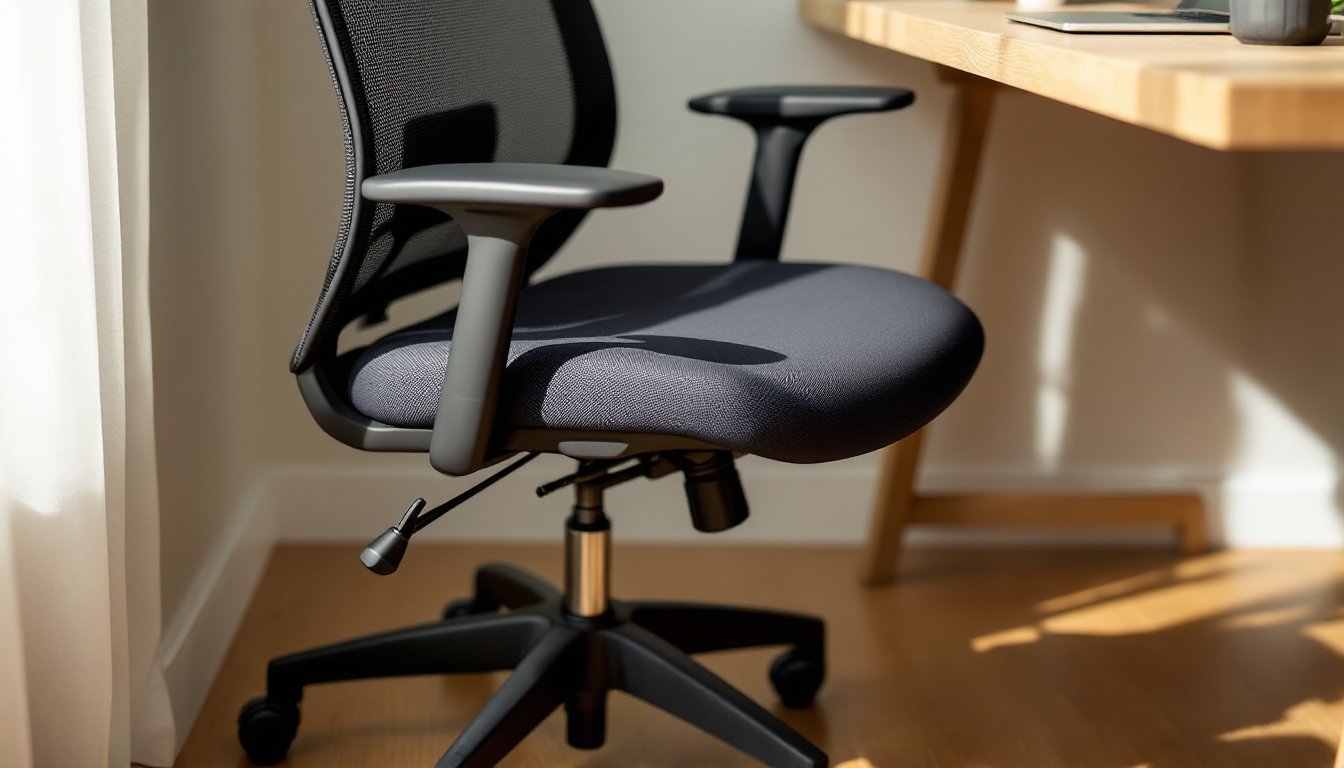
Mesh-back task chair with fixed arms: The workhorse. Usually features a black mesh backrest, padded fabric seat, pneumatic height adjustment, and basic fixed armrests. Weight capacity typically 225 lbs. Best for general computer work, video calls, and assignments. Available from major retailers and often eligible for free shipping. Expect a 15-20 minute assembly with an Allen wrench (usually included).
Armless mesh chair: Same construction as above but without armrests, shaving $5-10 off the price. Works well in tight spaces or for users who prefer elbows-on-desk posture. Easier to tuck fully under a desk. Comparing office chair options shows that armless models suit smaller workspaces effectively.
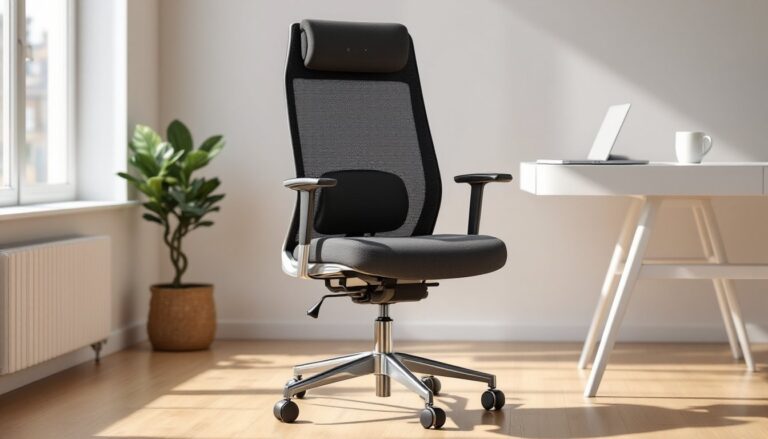
Mid-back ergonomic chair with lumbar cushion: Steps up the back support with a detachable or sewn-in lumbar pillow. Slightly taller backrest (around 20 inches vs. 18 inches on basic models). Some versions include a headrest, though at this price it’s usually a thin, non-adjustable nub. Better for users over 5’8″ who need upper-back contact.
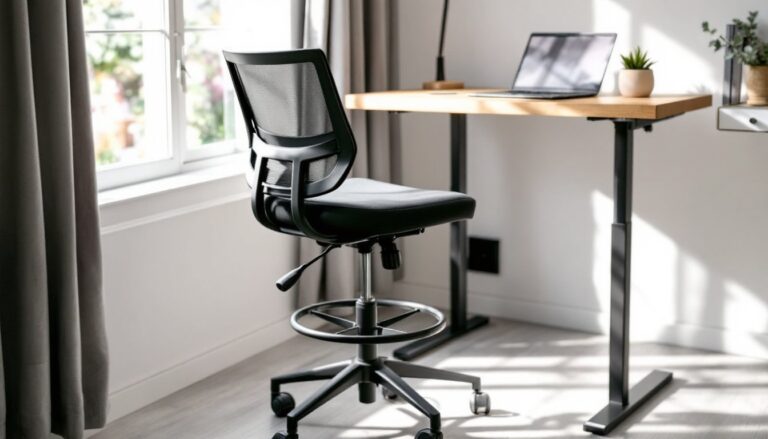
Minimalist drafting stool with back support: For standing desks or high tables. Features a taller gas cylinder (adjusts roughly 24-34 inches seat height vs. 17-21 inches on standard chairs) and a foot ring. Useful in workshops, craft rooms, or kitchens doubling as office space. Stable on hard floors but can be tippy on thick carpet.
Folding office chair: Rare but useful for temporary setups or multi-purpose rooms. Usually a padded seat and backrest on a collapsible frame. Less durable than fixed models, but stores in a closet. Weight limits often max out around 200 lbs.
When comparing specific models online, many home and DIY enthusiasts verify comfort and durability through user reviews and testing data published by consumer product sites.
How to Maximize Comfort and Longevity on a Tight Budget
A $50 chair won’t last a decade, but you can stretch its usable life significantly with a few tweaks.
Assemble it correctly: Sounds obvious, but undertightened bolts cause wobbles and premature wear. Use the included hardware: don’t substitute random screws from your junk drawer. If the instructions are useless (common), search the model number online, often someone’s posted a better assembly video.
Add a seat cushion: A 2-inch memory foam or gel cushion ($15-25) transforms a barely-padded seat into something comfortable for 4+ hour stretches. Look for non-slip backing or tie straps to keep it in place. This small investment often matters more than the chair itself.
Adjust height properly: When seated, feet should rest flat on the floor (or on a footrest), with knees bent at roughly 90 degrees and thighs parallel to the ground. The desk surface should be at or slightly below elbow height. Most discomfort traces back to a chair set too high or too low.
Maintain the gas cylinder: That pneumatic lift will eventually lose pressure, it’s the most common failure point. Keep debris and dust away from the cylinder shaft (the shiny metal rod). If the chair sinks slowly during use, the seal’s failing: replacement cylinders cost $15-30 and swap out with basic tools, but at that point you’re approaching the cost of a new chair.
Tighten hardware periodically: Every 3-6 months, flip the chair over and snug up the bolts and screws. Plastic components loosen with use, and a wobbly chair accelerates its own breakdown.
Protect your floors: If you’re on hardwood or laminate, swap the stock casters for rollerblade-style wheels or add a chair mat. Hard plastic wheels gouge soft floors fast. A thin polycarbonate mat ($20-35) also makes rolling smoother, reducing strain on the chair’s swivel mechanism.
Common Mistakes to Avoid When Buying Cheap Office Chairs
Ignoring dimensions: Chairs are not one-size-fits-all. Measure your desk height, legroom, and the space the chair needs to roll back. A chair that doesn’t fit is a chair that won’t get used.
Falling for faux leather: At this price point, PU leather or vinyl upholstery cracks and peels within a year, especially in dry climates or near heating vents. Stick with fabric or mesh. Some shoppers exploring creative budget furniture ideas find that fabric covers can be DIY-upgraded or replaced more easily than vinyl.
Skipping reviews entirely: Not every budget chair is bad, but certain models have recurring issues (wobbly bases, chemical smells, missing hardware). Spend five minutes reading recent reviews. If half the one-stars mention the same failure, believe them.
Buying for the wrong use case: A $40 chair is fine for 2-3 hours daily. It’s not fine for an 8-hour remote workday, five days a week. If someone’s logging serious hours, they need to budget more, or accept that they’ll replace the chair yearly.
Overlooking return policies: Assembly sometimes reveals deal-breakers (a seat too narrow, armrests that don’t fit under the desk). Buy from retailers with hassle-free returns. Disassembling and reboxing a chair is annoying, but better than living with the wrong one.
Expecting high weight limits from lightweight construction: If a chair weighs 18 pounds and lists a 250 lb capacity, be skeptical. That’s pushing the engineering margins. Real-world use often exposes those limits faster than manufacturer testing.
Not checking for certifications: BIFMA (Business and Institutional Furniture Manufacturers Association) certification is rare under $50, but if a chair has it, that’s a good sign. It means the model passed standardized tests for stability, durability, and safety. Independent reviews from sources like CNET can help confirm whether budget models meet basic safety and performance standards.
Conclusion
A capable office chair under $50 isn’t a myth, it’s a matter of matching expectations to reality. Prioritize the basics: stable base, proper dimensions, height adjustment, and breathable materials. Add a cushion if needed, maintain the hardware, and don’t ask it to do a $300 chair’s job. For light daily use or temporary setups, these budget models punch well above their price tag and keep home workspaces functional without the financial strain.