Setting up a home workspace means making decisions that’ll affect your comfort for thousands of hours. One of the biggest? Whether to drop cash on an office chair or a gaming chair. They both promise all-day support and adjustability, but they’re designed for different worlds, one for spreadsheets and video calls, the other for marathon gaming sessions. The differences aren’t just cosmetic. Frame construction, padding density, recline mechanisms, and lumbar support all vary between the two categories. This guide breaks down what separates them, where they overlap, and which one actually fits your needs and your workspace.
Table of Contents
ToggleKey Takeaways
- Office chairs prioritize adjustable lumbar support and ergonomic standards for all-day desk work, while gaming chairs emphasize thick cushioning and high recline angles suited for relaxation between gaming sessions.
- Office vs gaming chair durability depends on frame material (steel/aluminum), upholstery type (mesh vs. PU leather), and gas lift class ratings—aim for Class 4 lifts and established warranties to avoid premature failure.
- The $300–$500 price range offers the best value in either category, providing quality construction and material durability that beats budget models prone to compression and mechanical failure.
- Office chairs blend seamlessly into professional video calls and shared workspaces with neutral aesthetics, while gaming chairs make bold design statements that work best in dedicated gaming rooms or expressive personal spaces.
- For hybrid use cases mixing work and gaming, prioritize the chair type matching your dominant task—an office chair handles occasional gaming adequately, but a gaming chair may cause discomfort during extended typing and detail-oriented work.
Understanding the Key Differences Between Office and Gaming Chairs
Office chairs and gaming chairs are built with different priorities, even though they both keep someone seated for extended periods.
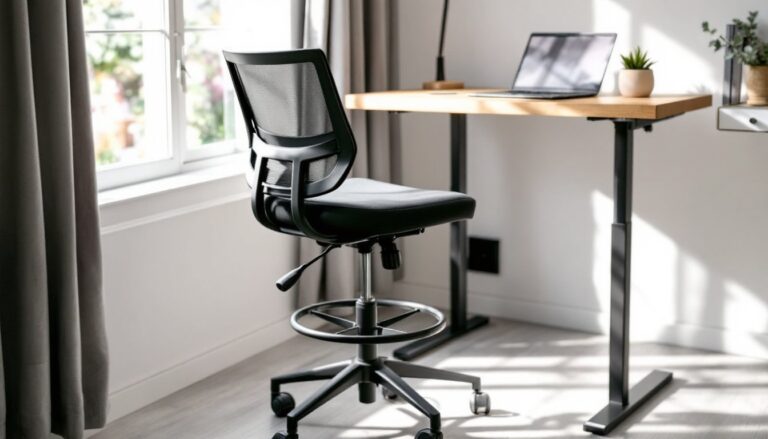
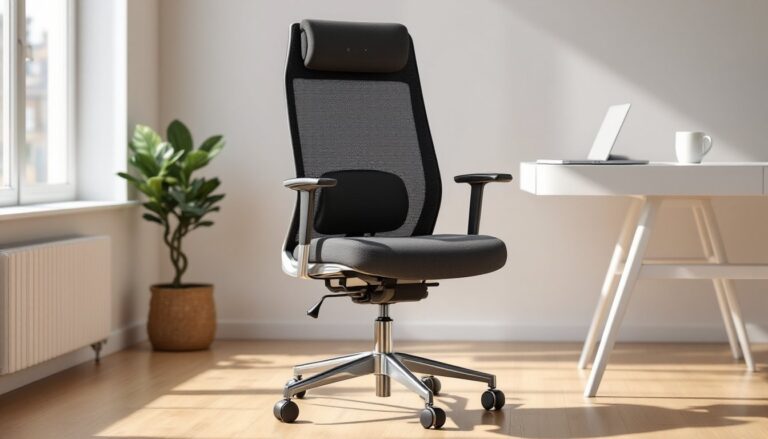
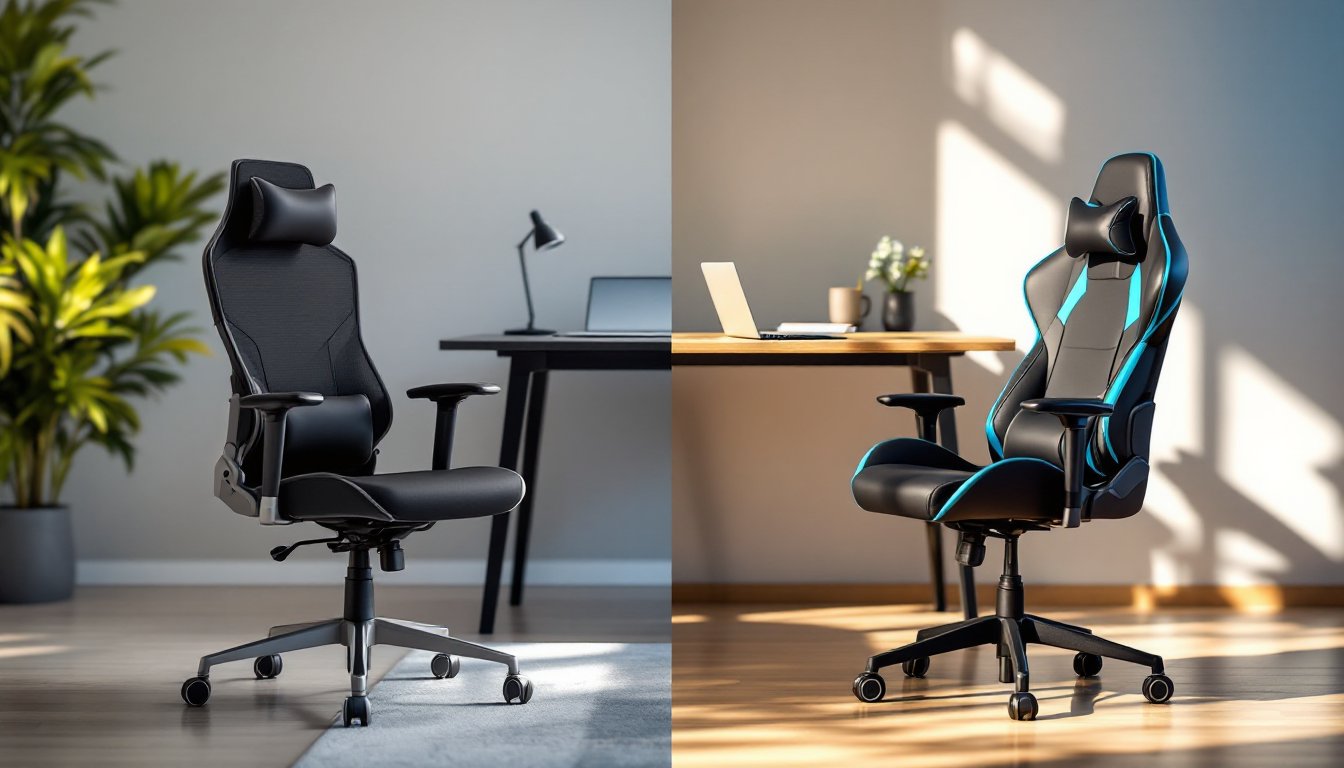
Office chairs typically use mesh or breathable fabric upholstery over foam padding. The frame emphasizes adjustability, seat height, armrest position, tilt tension, and lumbar support are standard on mid-range models. Most follow ergonomic standards like BIFMA (Business and Institutional Furniture Manufacturers Association) ratings, which test durability and safety for commercial use. The aesthetic leans professional: neutral colors, clean lines, minimal branding.
Gaming chairs borrow design language from racing bucket seats. They use thick foam wrapped in PU leather or fabric, with high backrests and pronounced side bolsters. Lumbar and neck support often come as removable pillows rather than integrated mechanisms. Recline angles can hit 135° or more, useful for leaning back between rounds, less so for typing. The color palette runs aggressive: black with neon accents, contrasting stitching, and brand logos.
Both categories offer gas-lift cylinders for height adjustment and five-star wheeled bases, but the resemblance stops there. Gaming chairs prioritize immersion and style: office chairs prioritize long-term postural health and professional appearance. Neither is inherently better, they’re optimized for different use cases.
Ergonomics and Comfort: What Your Back Really Needs
Ergonomics isn’t marketing fluff, it’s the difference between a chair that supports your spine and one that leaves you reaching for ibuprofen by midweek.
Office chairs generally offer adjustable lumbar support built into the backrest. Higher-end models use a curved pad that moves up, down, and in/out to match your lower back’s natural curve. Armrests adjust in four directions (height, width, depth, angle), which keeps shoulders relaxed and prevents nerve compression in the wrists. Seat depth adjustment lets shorter or taller users position the seat pan so the back edge doesn’t dig into the backs of knees. Mesh backrests promote airflow, reducing sweat buildup during long sessions.
Gaming chairs rely on lumbar pillows, foam cushions with elastic straps. They’re easy to reposition or remove, but they don’t provide the same tailored support as an integrated mechanism. The thick padding feels plush initially, but over hours it can compress unevenly. Side bolsters, designed to keep gamers stable during intense play, can restrict movement if someone shifts positions frequently throughout the workday. Many professionals working from home find the racing-seat design too confining when they need to lean forward, swivel, or reach for documents.
For true all-day comfort, look for chairs that support the S-curve of the spine, allow micro-adjustments, and don’t lock the body into a single posture. If someone spends eight hours drafting emails, reviewing spreadsheets, or taking video calls, an office chair’s flexibility usually wins. If the workday includes a mix of tasks, some gaming, some work, a gaming chair’s recline and cushioning might feel more versatile.
Design and Aesthetics for Your Home Office
A chair isn’t just a tool, it’s furniture that’ll sit in frame during video calls and set the tone for the room.
Office chairs blend into professional environments. Mesh models in black or gray look unobtrusive behind a desk. High-back executive chairs in leather or fabric can anchor a home office with a touch of formality. They pair well with wood desks, neutral walls, and minimalist setups. Sites like Design Milk and Elle Decor regularly feature streamlined office chairs in modern interiors because they don’t dominate the visual space.
Gaming chairs make a statement. The bold colorways and logo-heavy designs appeal to younger users or those setting up a dedicated gaming room. But in a shared living space or a room visible on Zoom, the racing aesthetic can clash. Neighbors and coworkers might notice the neon piping and bucket seat before they notice the person sitting in it. Some manufacturers now offer toned-down versions, all-black models without loud branding, that split the difference.
Material choice also affects the look. PU leather (common on gaming chairs) can peel or crack after a few years, especially in dry climates or with heavy use. Mesh and fabric upholstery age more gracefully and resist wear from friction. If the goal is a workspace that looks polished and lasts, office chairs edge ahead. If personal style leans toward bold, expressive decor, a gaming chair might fit right in.
Price Comparison: Getting the Best Value for Your Budget
Budget and value aren’t the same. A cheaper chair that falls apart in two years costs more than a pricier one that lasts a decade.
Gaming chairs typically range from $150 to $500. Entry-level models start around $150–$200 but often use thinner foam, lower-grade PU leather, and basic tilt mechanisms. Mid-range options ($250–$400) add memory foam, stronger frames, and better stitching. Premium models ($400+) incorporate metal frames, 4D armrests, and Class 4 gas lifts rated for heavier loads.
Office chairs span a wider range. Budget task chairs start at $100–$150, offering basic adjustability and minimal lumbar support. Mid-range ergonomic chairs ($300–$600) include mesh backrests, multi-position armrests, and BIFMA certification. High-end models from manufacturers like Steelcase or Herman Miller can exceed $1,000, but they’re engineered for 24/7 use and come with 10- to 12-year warranties.
For homeowners setting up a workspace, the sweet spot is often the $300–$500 range. That budget buys an office chair with solid ergonomics and durability, or a well-built gaming chair with premium materials. Avoid bottom-tier models in either category, cheap gas lifts can fail, thin padding compresses quickly, and plastic armrests crack under daily use.
Factor in warranty coverage. A three-year warranty on frame and mechanisms signals the manufacturer expects the chair to last. Anything less should raise questions.
Durability and Long-Term Performance
A chair that feels great out of the box isn’t much use if it wobbles or flattens after six months.
Frame construction separates the keepers from the landfill candidates. Office chairs in the mid-range and up use steel or aluminum frames, sometimes reinforced at stress points like the seat pan attachment and backrest pivot. Gaming chairs at similar price points also use metal frames, but budget models may rely on plastic backrest shells that crack under repetitive stress.
Upholstery lifespan varies by material. Mesh backrests on office chairs resist sagging and don’t trap heat, but cheaper mesh can stretch or tear if someone leans back hard. PU leather on gaming chairs looks sharp initially but starts flaking after 18–24 months of heavy use, especially where the body makes contact. Fabric upholstery (found on both types) holds up better but can stain or absorb odors without regular cleaning.
Gas lift cylinders should meet Class 4 standards, which support up to 300 pounds and resist slow sinking over time. Cheaper chairs use Class 2 or Class 3 lifts that lose pressure within a year. Check the product specs, if the class rating isn’t listed, assume it’s lower-grade.
Casters and base stability matter more than most people realize. Nylon or polyurethane wheels protect hardwood floors and roll smoothly on carpet. Cheap plastic wheels dig into flooring or jam on thick rugs. A five-star base in reinforced nylon or metal distributes weight evenly and resists cracking.
For someone planning to use the chair daily for years, choosing office-focused ergonomics with a proven track record usually pays off.
Which Chair Is Right for Your Home Setup?
The right chair depends on how it’ll be used, who’s sitting in it, and what the workspace demands.
Choose an office chair if:
- The primary use is desk work, typing, video calls, reading, or detail-oriented tasks.
- Adjustability matters. Integrated lumbar support and multi-position armrests reduce strain during long sessions.
- The workspace has a professional aesthetic or appears on camera frequently.
- Breathability is a priority. Mesh backrests keep air moving in warm climates or during summer months.
- Long-term durability and warranty coverage outweigh initial cost.
Choose a gaming chair if:
- The setup doubles as a gaming station. The deep recline and neck pillow support relaxed postures between tasks.
- Bold style fits the room’s vibe. The racing-seat look complements a gaming rig or a more expressive decor scheme.
- Thick cushioning feels more comfortable than firm mesh. Some users prefer the cocooned feel of side bolsters.
- The chair will serve multiple users with different preferences. Removable pillows let each person customize support.
Consider hybrid use cases. If someone works eight-hour days and games in the evening, neither category is perfect. In that scenario, prioritize the task that takes up more time. A chair optimized for work will function adequately for gaming, but a gaming chair may cause discomfort during extended typing or mousing.
Test before buying if possible. Retail stores and office supply showrooms let visitors sit and adjust chairs. Online purchases should come from retailers with return policies, 30 days minimum. As research on chair ergonomics shows, individual body types respond differently to the same design.
Conclusion
Office chairs and gaming chairs each serve their purpose, and the wrong choice turns into a daily irritant. Prioritize ergonomics and build quality over flashy features or rock-bottom pricing. A well-chosen chair supports the body, fits the space, and holds up under years of use, making it one of the smarter investments in any home workspace.