Setting up a home office isn’t just about a desk and a laptop anymore. Professionals who spend 6-10 hours seated daily are investing in furniture that actively supports their health, not just their posture. Enter the massage office chair, a hybrid that combines ergonomic seating with built-in massage functions designed to reduce tension, improve circulation, and keep the body comfortable during marathon work sessions. These chairs aren’t a luxury reserved for executives: they’re a practical upgrade for anyone serious about long-term comfort and productivity in a home workspace.
Table of Contents
ToggleKey Takeaways
- A massage office chair combines ergonomic support with built-in massage functions to reduce tension, improve circulation, and boost productivity during long work sessions without leaving your desk.
- Choose a massage office chair based on massage type (Shiatsu, vibration, or air compression), customization options, and essential ergonomic features like adjustable lumbar support and proper seat depth for your body size.
- Measure your workspace carefully before purchasing, accounting for chair bulk, recline extension (12-18 inches), power outlet proximity, and noise levels to ensure proper placement and functionality.
- Prioritize ergonomic fundamentals over massage features, and pair your massage office chair with regular stretching and proper desk ergonomics to prevent poor posture and maximize long-term comfort.
- Invest in models with at least a 1-year warranty on motors and read user reviews from chairs in service 12+ months to avoid early failures in massage mechanisms and heating elements.
Why a Massage Office Chair Is a Game-Changer for Your Home Office
Traditional office seating focuses on lumbar support and adjustability. That’s baseline stuff. A massage chair adds active intervention, motor-driven nodes, vibration, or air compression that targets muscle groups prone to tension from prolonged sitting.
Pain prevention is the primary draw. Sitting compresses the lower back, tightens hip flexors, and strains the neck and shoulders. Massage functions, even basic vibration modes, encourage micro-movements and blood flow that passive cushioning can’t deliver. Users often report reduced end-of-day stiffness and fewer tension headaches.
Productivity gets a boost, too. A 10-minute lumbar massage cycle mid-afternoon can stave off the fatigue slump without leaving the desk. It’s a built-in break that doesn’t require stepping away from a project.
For remote workers or freelancers who don’t have access to workplace wellness programs, a massage chair replicates some of those benefits at home. It’s also a write-off consideration for self-employed individuals if the home office qualifies as a dedicated workspace.
One caveat: these chairs won’t fix poor posture or replace stretching. They’re a tool, not a cure. Pair them with regular movement and proper desk ergonomics.
Key Features to Look for in a Massage Office Chair
Not all massage chairs are created equal. Some offer gimmicky vibration that feels like sitting on a phone set to buzz mode. Others deliver targeted relief with adjustable intensity and zone control. Here’s what separates the functional from the frivolous.
Massage Types and Customization Options
Shiatsu massage uses rotating nodes that mimic the kneading motion of a therapist’s hands. These are typically embedded in the backrest and move vertically along the spine. Look for chairs with adjustable node height so the massage hits your specific pressure points, not arbitrary spots.
Vibration massage is the most common (and cheapest) option. Motors create a pulsing sensation in the seat and backrest. It’s effective for general relaxation but won’t dig into deep muscle tension. Some models let you control intensity across multiple zones, lumbar, upper back, thighs.
Air compression (also called air cell massage) inflates and deflates pockets of fabric to squeeze and release muscle groups. It’s excellent for leg and lower back support but rare in office-focused chairs, more common in full-body recliners.
Heat therapy is a bonus feature worth prioritizing. Gentle warmth in the lumbar region increases blood flow and makes massage nodes more effective. Most heated models use a low-wattage element (under 50W) that won’t spike your electric bill.
Customization matters. Chairs with independent zone control let someone focus on the lower back while skipping shoulder massage, or vice versa. Preset programs (“relax,” “energize,” “recovery”) are convenient, but manual control offers more precision.
Ergonomic Design and Adjustability
Massage is a feature. Ergonomics is the foundation. A chair that feels great during a 15-minute massage but wrecks your back the other 7 hours isn’t worth it.
Lumbar support should be adjustable in both height and depth. Some chairs use an inflatable lumbar cushion: others have a sliding backrest panel. Test whether the support hits the natural curve of your lower spine (around the L3-L5 vertebrae).
Seat depth is critical for taller or shorter users. Ideally, there’s 2-4 inches of clearance between the seat edge and the back of your knees. Many massage chairs skip this adjustment to make room for motors, deal-breaker for anyone over 6’2″ or under 5’4″.
Armrest adjustability in four dimensions (height, width, depth, angle) reduces shoulder strain. Fixed armrests force awkward postures. Look for models where armrests don’t block desk access when adjusted inward.
Recline function isn’t just for napping. A 110-120° recline shifts weight off the lumbar discs, which is ideal during massage cycles. Some chairs include a locking tilt mechanism so the backrest stays reclined without constant pressure.
Weight capacity matters more than marketing suggests. Chairs rated for 250 lbs often feel wobbly at 220 lbs when massage motors are running. Look for capacities 50+ lbs above your body weight for long-term durability.
Materials count, too. Breathable mesh backs prevent sweat buildup during massage heat modes. High-quality designs incorporate modern furniture principles that balance aesthetics with function. PU leather looks sleek but cracks after 2-3 years of daily use: fabric upholstery lasts longer but shows stains.
How to Choose the Right Massage Chair for Your Home Office Setup
Start by defining the chair’s primary role. Is massage a daily necessity or an occasional perk? If you’re treating chronic back pain, invest in a model with Shiatsu nodes and heat (expect $300-$600). If you want occasional vibration for relaxation, budget options ($150-$250) work fine.
Measure your workspace first. Massage chairs tend to be bulkier than standard task chairs due to motor housing. Measure seat width (typically 20-22 inches), total width with armrests (26-30 inches), and clearance needed for recline (add 12-18 inches behind the chair). Tight corners or under-desk storage won’t accommodate oversized models.
Power requirements vary. Most plug into standard 120V outlets and draw 30-60W during operation, less than a laptop. Cordless models exist but sacrifice massage intensity for battery life. Make sure your desk setup has an accessible outlet: extension cords under foot are a tripping hazard.
Noise level matters in shared spaces. Cheaper motors sound like a hand mixer on low. Mid-range models use brushless motors that hum quietly (under 50 dB). If you take video calls, test the chair’s noise during operation or check reviews for decibel ratings.
Warranty and return policies are non-negotiable. Massage mechanisms fail more often than static chair components. Look for at least a 1-year warranty on motors and a 30-day return window. Many office chair models balance traditional ergonomics with advanced features.
Read user reviews on chairs that have been in service for 12+ months. Early failures in massage motors, control panels, or heating elements show up around the 6-9 month mark. Product-focused sites like CNET’s massage chair roundup aggregate long-term performance data.
Assembly difficulty varies wildly. Some chairs arrive 90% assembled (attach backrest, armrests). Others require screwing in 40+ components. If you’re not comfortable with an Allen wrench and a bag of hardware, factor in assembly service costs ($50-$100 via TaskRabbit or similar).
Placement and Space Considerations for Maximum Comfort
Where you place the chair affects both comfort and function. Position it so the monitor sits at eye level when you’re seated upright, with the top of the screen roughly at or just below eye height. This prevents neck strain during non-massage work hours.
Desk clearance is key. Armrests should slide under the desk edge when raised, allowing you to pull close for typing. If the chair’s armrests are too wide or fixed, you’ll either sit too far back (shoulder strain) or remove them entirely (no arm support).
Flooring type impacts stability. Massage vibrations can cause cheaper casters to drift on hardwood or tile. Use a chair mat (PVC or polycarbonate, at least 36″ x 48″) to anchor the chair and protect flooring. For carpet, choose casters rated for soft surfaces, they have wider wheels that won’t sink.
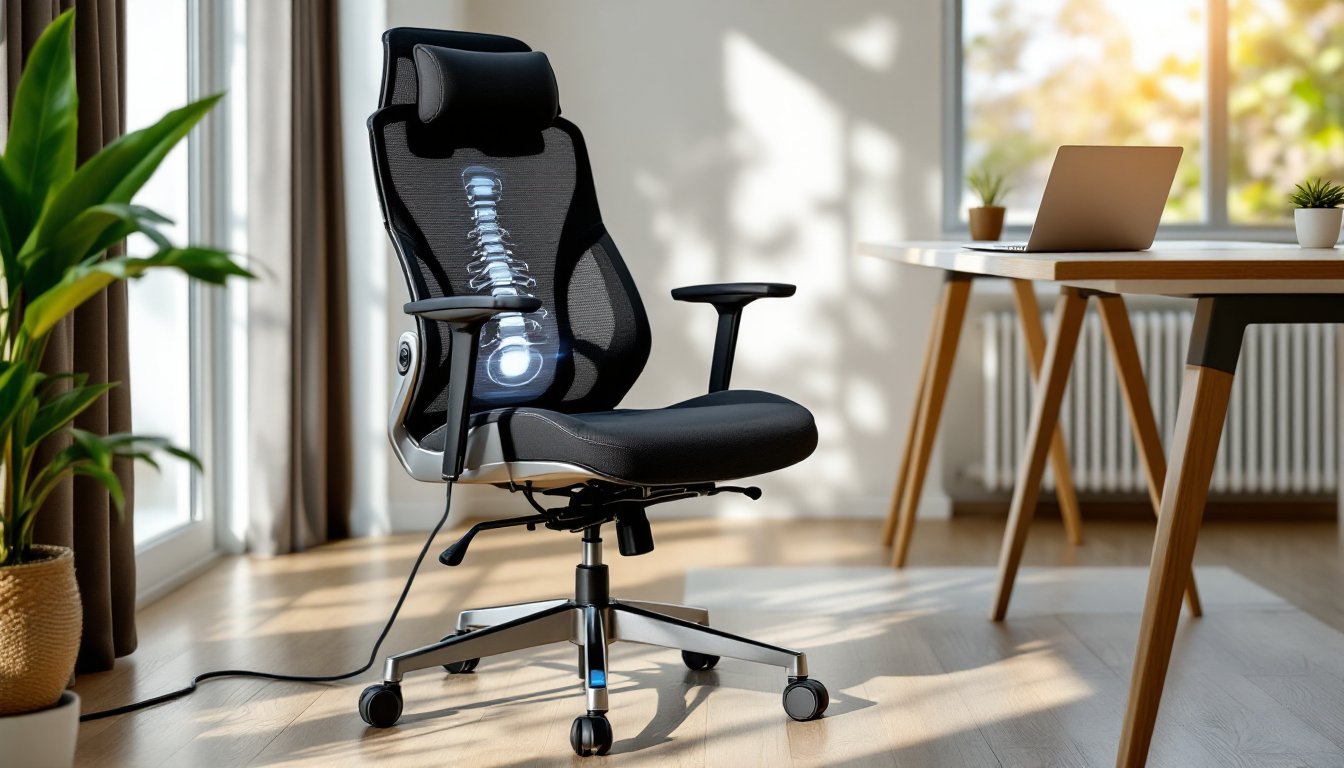
Cable management prevents tangled power cords. Route the chair’s power cable along the desk leg or use adhesive cable clips to secure it against the baseboard. Loose cords under a rolling chair are a disaster waiting to happen.
Lighting and ambiance enhance the massage experience. If the chair faces a window, glare on your monitor during massage breaks ruins the relaxation. Position the chair perpendicular to windows or install blackout shades. Some users integrate their workspace into broader home design strategies that prioritize both function and aesthetics.
Proximity to outlets can’t be overstated. Most massage chair power cords are 6-8 feet long. Measure from your planned chair location to the nearest outlet before purchasing. If you need an extension cord, use a 14-gauge cord rated for at least 10 amps to avoid voltage drop during motor operation.
Finally, leave space for recline. A fully reclined massage chair extends 12-18 inches backward. Jamming the chair against a wall or bookshelf limits functionality and can damage both the chair and the wall.
Conclusion
A massage office chair isn’t a Band-Aid for a poorly designed workspace, but it’s a legitimate upgrade for anyone spending serious hours at a desk. Prioritize ergonomic fundamentals first, adjustability, lumbar support, proper dimensions, then layer on massage features that match your needs and budget. Measure your space, test noise levels, and read long-term reviews before committing. Done right, it’s an investment that pays dividends in comfort and focus every single workday.