Poor lighting isn’t just annoying, it’s sabotaging your productivity. Squinting at spreadsheets under a single overhead bulb or battling screen glare from an uncovered window can trigger headaches, eye strain, and that mid-afternoon energy crash you blame on too much coffee. Whether you’re working from a dedicated room or a corner desk, getting the lighting right makes the difference between a workspace that energizes and one that exhausts. This guide walks through the essentials: layering light sources, choosing bulbs that support focus, and positioning fixtures to eliminate glare without darkening your desk.
Table of Contents
ToggleKey Takeaways
- Home office lighting requires layering three types—ambient, task, and accent—to eliminate eye strain, reduce glare, and maintain focus throughout the day.
- Use neutral white bulbs (4000K–4500K) for most work tasks, as they provide brightness for sustained focus without the harsh clinical feel of daylight-only lighting.
- Position monitors perpendicular to windows and desk lamps to the side opposite your dominant hand to prevent backlight, screen reflections, and hand shadows.
- Proper home office lighting improves productivity by supporting your circadian rhythm, reducing neck and shoulder pain from compensation posture, and preventing digital eye strain.
- Monitor light bars and bias lighting (USB-powered LED strips at 6500K) softly illuminate work surfaces and reduce the intensity contrast between screens and surrounding areas.
- Install ambient fixtures at least 3–4 feet in front and behind your desk line rather than directly overhead to ensure even illumination without shadows or hotspots.
Why Proper Lighting Matters for Your Home Office
Your eyes adjust constantly when lighting is uneven, shifting from a bright monitor to dim surroundings forces pupils to dilate and contract repeatedly, which tires the ciliary muscles. Over time, this contributes to digital eye strain, blurred vision, and tension headaches.
Beyond comfort, lighting affects circadian rhythm. Cooler, blue-toned light in the morning signals alertness, while warmer tones later in the day ease the transition toward rest. A poorly lit workspace disrupts this cycle, making it harder to stay sharp during work hours and wind down afterward.
Proper lighting also influences posture. If overhead light casts shadows across your keyboard or document, you’ll unconsciously lean forward or tilt your head to compensate, small adjustments that add up to neck and shoulder pain by week’s end. Even in a small home office, balanced illumination keeps the workspace functional without constant physical compensation.
Understanding the Three Types of Office Lighting
Effective office lighting isn’t about installing the brightest bulb you can find. It’s about layering three distinct types, ambient, task, and accent, to create even, flexible illumination that adapts throughout the day.
Ambient Lighting: Your Foundation Layer
Ambient lighting provides general illumination for the entire room. This is typically ceiling-mounted fixtures: recessed cans, flush-mounts, or pendant lights. The goal is uniform brightness without harsh shadows.
For home offices, aim for 30–50 footcandles (roughly 300–500 lumens per square foot) at desk height. A 10×10-foot office needs about 3,000–5,000 total lumens from ambient sources. Recessed LED downlights spaced 4–6 feet apart work well in rooms with standard 8-foot ceilings: pendant fixtures offer the same coverage with more design flexibility.
If the room has only a single ceiling fixture, consider adding a floor lamp with an uplight (torchiere style) in a corner. These bounce light off the ceiling, diffusing it across the space without creating the spotlight effect of a desk lamp. When planning a small office layout, ambient lighting ensures no area feels dim or cramped.
Task Lighting: Focused Illumination for Work
Task lighting delivers concentrated light exactly where you need it, on the keyboard, documents, or a specific work surface. Desk lamps are the most common solution, but under-cabinet LED strips work for shelving units, and swing-arm wall-mounted fixtures free up desk space in tight quarters.
Look for adjustable arms and heads so you can direct light without repositioning the entire fixture. LED desk lamps with touch-dimming and color temperature controls (typically 3000K–5000K) let you dial in brightness based on the task. Reading fine print or reviewing blueprints benefits from cooler, brighter settings: general computer work feels more comfortable at mid-range warmth.
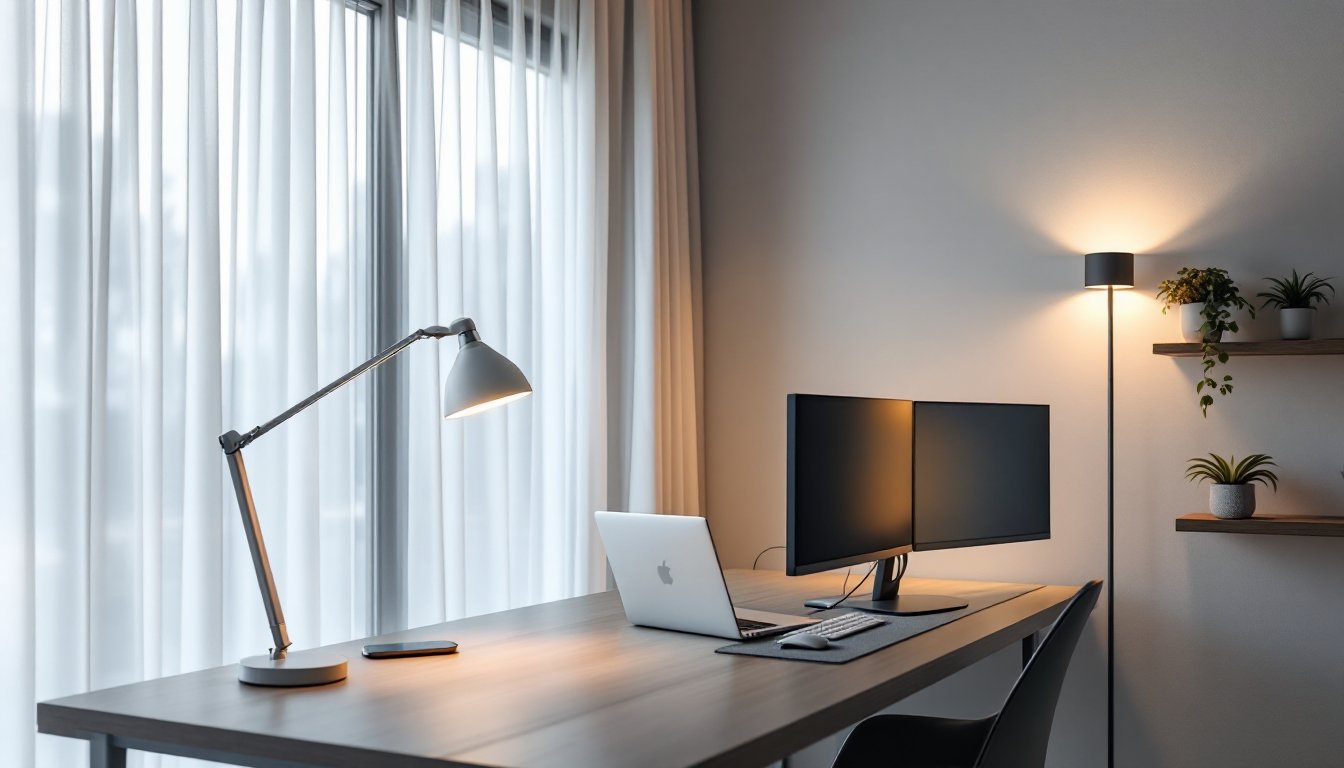
Position the lamp to the side opposite your dominant hand (left side for righties) to prevent your hand from casting shadows as you write or type. If you’re using dual monitors, a monitor light bar (clips to the top edge of the screen) angles light downward onto the desk without spilling onto the display, eliminating reflections while keeping the keyboard lit. Many professionals working on home office additions invest in these to maintain focus during long sessions.
Accent Lighting: Adding Depth and Personality
Accent lighting isn’t strictly functional, it creates visual interest and reduces the stark contrast between bright work areas and dark corners. This includes LED strip lights behind monitors (bias lighting), small picture lights on artwork, or uplighting on plants.
Bias lighting helps with eye strain by softening the difference between a glowing screen and a dark wall behind it. A simple USB-powered LED strip (neutral white, around 6500K) mounted on the monitor’s rear edge does the trick for under $20. The subtle glow makes the screen appear less intense without adding distracting reflections.
Accent lights also make spaces feel larger. A small bookshelf with integrated puck lights or a floor lamp illuminating a corner plant draws the eye outward, counteracting the tunnel-vision effect of staring at a single desk area all day.
Choosing the Right Bulbs and Color Temperature
Bulb selection affects energy costs, color accuracy, and how alert you feel. LEDs are the default for home offices, they last 15,000–50,000 hours, generate minimal heat, and offer the widest range of color temperatures.
Color temperature is measured in Kelvin (K). Lower numbers (2700K–3000K) produce warm, amber-toned light similar to incandescent bulbs, comfortable for evening use but too dim for detailed tasks. Higher values (5000K–6500K) mimic daylight, promoting alertness but feeling harsh if used exclusively all day.
For most home offices, 4000K–4500K (neutral white) strikes the best balance: bright enough for sustained focus without the clinical feel of hospital lighting. If you work early mornings or late nights, consider smart bulbs that shift color temperature on a schedule, cooler at 9 a.m., warmer by 6 p.m., to support natural energy cycles.
CRI (Color Rendering Index) matters if your work involves color-critical tasks (graphic design, video editing, product photography). Standard LEDs score 80–85 CRI: high-CRI bulbs (90+) reveal colors more accurately but cost slightly more. For general office use, 80+ CRI is fine.
Wattage equivalents can be confusing. A 60W incandescent outputs about 800 lumens: the LED replacement draws just 8–10W. Check lumens, not watts, when matching brightness. A desk lamp typically needs 400–800 lumens for task lighting: ambient fixtures vary based on room size but generally range from 800–1600 lumens per fixture.
Avoid “daylight” bulbs (6500K) in small spaces, they can feel sterile and amplify glare on glossy surfaces. Reserve those for large studios or workshops with matte finishes.
Positioning Your Lighting to Reduce Eye Strain and Glare
Even the best bulbs cause problems if positioned poorly. Glare, direct light reflecting off screens or shiny surfaces, is the most common complaint. Here’s how to eliminate it.
Monitor placement: Position screens perpendicular to windows, not facing or backing them. If a window is directly behind the monitor, you’re staring into backlight all day, forcing your eyes to work harder. If it’s behind you, sunlight reflects off the screen. Perpendicular placement lets natural light enter from the side, illuminating the room without hitting the display.
Window treatments: Sheer curtains or adjustable blinds give control without blocking daylight entirely. Vertical blinds work well for side windows, tilt slats to diffuse direct sun while maintaining ambient brightness. Blackout shades are overkill unless you’re recording video or the room faces west with brutal afternoon glare.
Overhead light angles: Recessed cans should be positioned in front of and behind your desk, not directly above. A fixture centered over your head creates a hotspot on your work surface and casts your own shadow forward. Space fixtures 3–4 feet in front and behind the desk line for even coverage.
Desk lamp height and angle: The bottom edge of the lampshade should sit at or just below eye level when seated, typically 15–20 inches above the desk surface. Angle the light toward the work surface, not your face or monitor. If you see the bulb itself while seated, the lamp is too low or poorly angled.
Matte finishes: Glossy desk surfaces, glass tabletops, and high-sheen monitor bezels all amplify reflections. If replacing furniture isn’t an option, a large desk mat (fabric or textured vinyl) under the keyboard and mouse absorbs light instead of bouncing it back. Anti-glare monitor screens also help, though modern matte-finish panels largely solve this.
Safety note: When installing ceiling fixtures or wall-mounted lamps, turn off power at the breaker, not just the switch. Use a non-contact voltage tester to confirm wires are dead before touching them. If you’re adding new circuits or modifying existing wiring, check local codes, some jurisdictions require a licensed electrician for anything beyond replacing an existing fixture.
For spaces doubling as a home office guest room, install dimmer switches on ambient fixtures so lighting transitions easily from work mode to relaxation. Smart dimmers (Lutron Caseta, Leviton Decora) integrate with voice assistants and let you save preset brightness levels for different times of day.
If you’re still experimenting with placement, a quality desk lamp with multi-axis adjustability offers the most flexibility. Many professionals exploring creative lighting setups find that combining task and ambient sources eliminates the need for a single “perfect” overhead fixture.
PPE reminder: When drilling into walls or ceilings for fixture installation, wear safety glasses to protect against falling drywall dust and debris. If cutting into plaster or older materials, an N95 mask prevents inhaling fine particulates. Keep a headlamp handy for working inside electrical boxes, it’s safer than balancing a flashlight.